Spot your strengths.
Fix your gaps.


Join 100,000+ customers now
















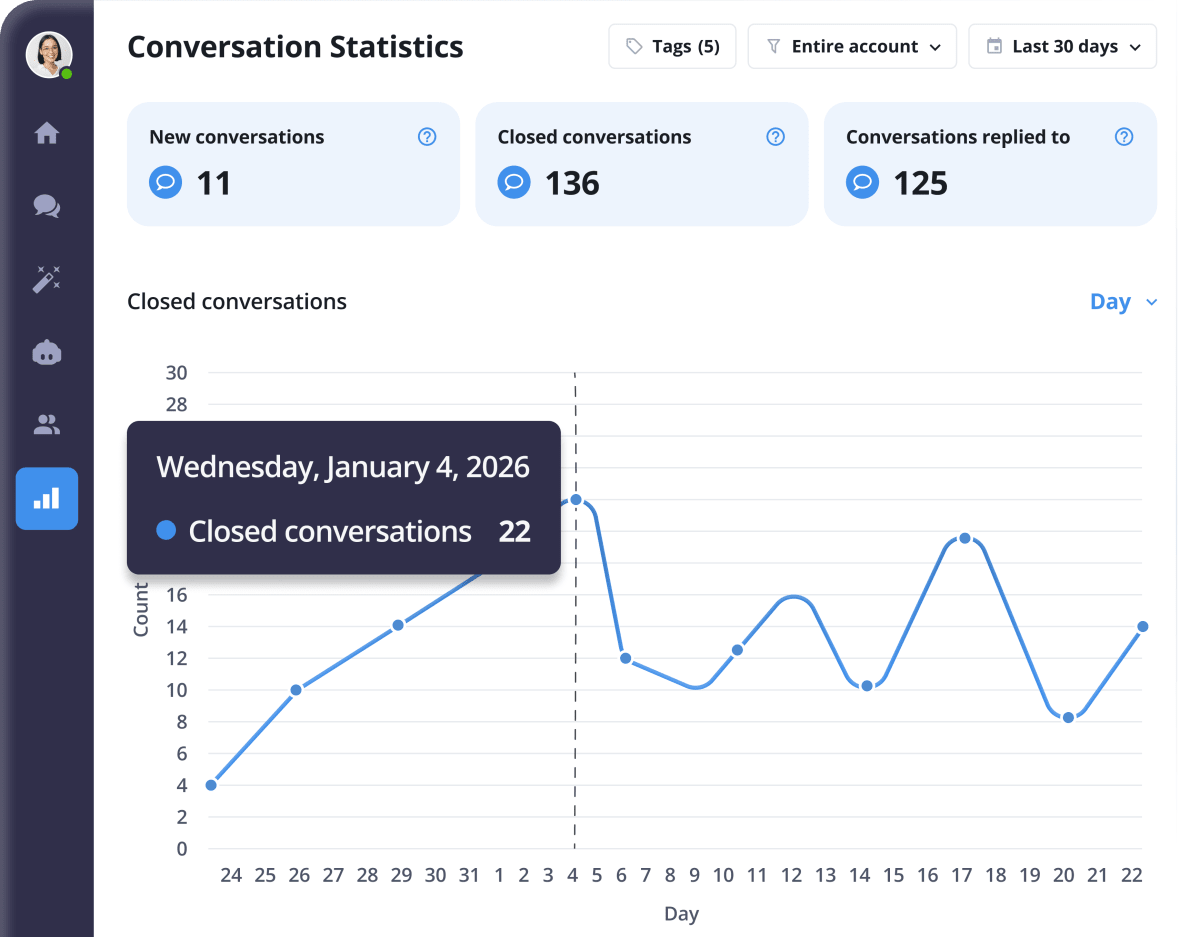
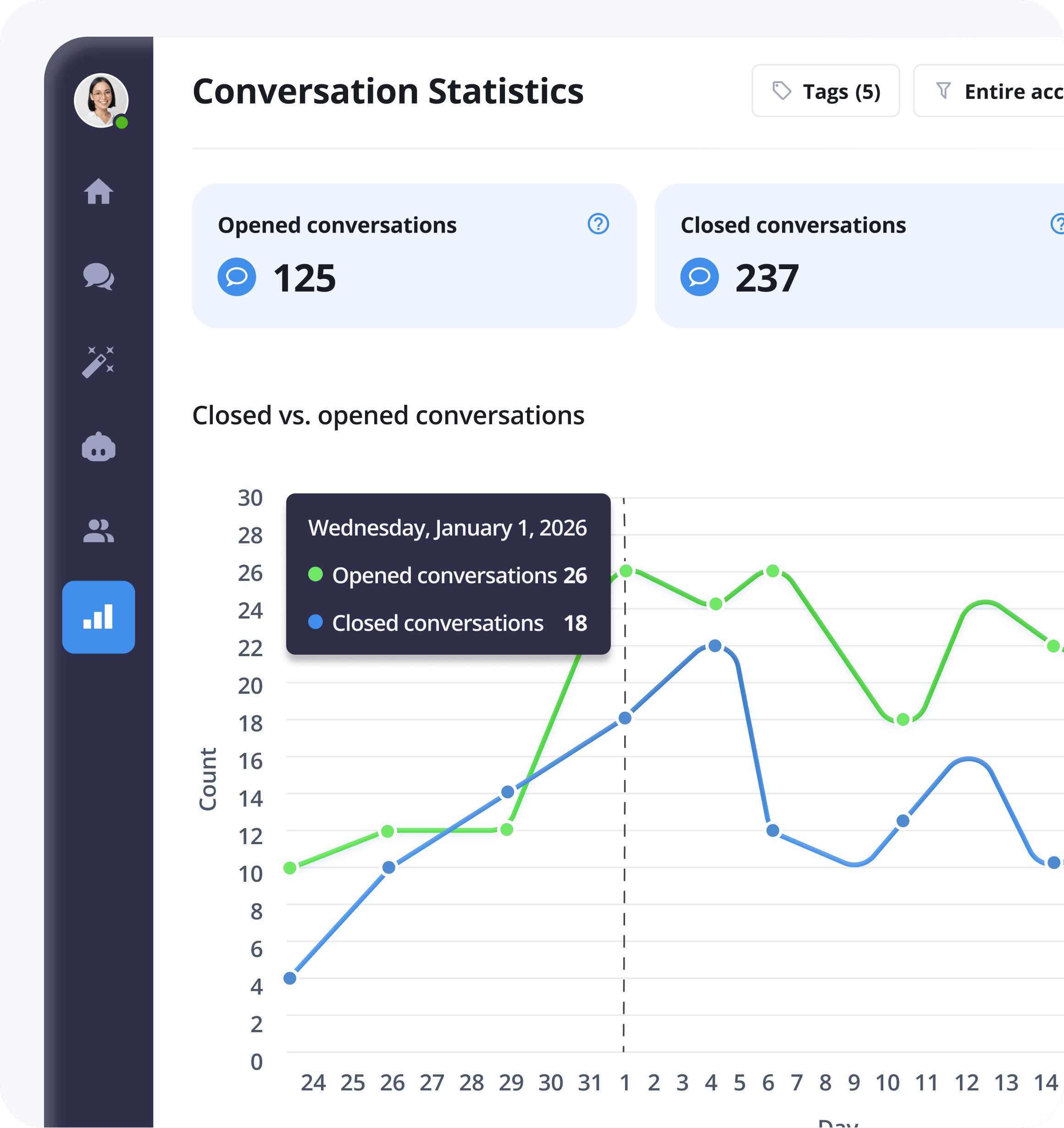
Conversation Statistics
- Traffic Trends: Visualize incoming query volume over any period.
- Resolved vs. Closed: See exactly how many cases your team cleared.
- CSAT Tracking: Real-time customer satisfaction scores for every chat.
- Group Filters: Segment data by specific teams or departments.
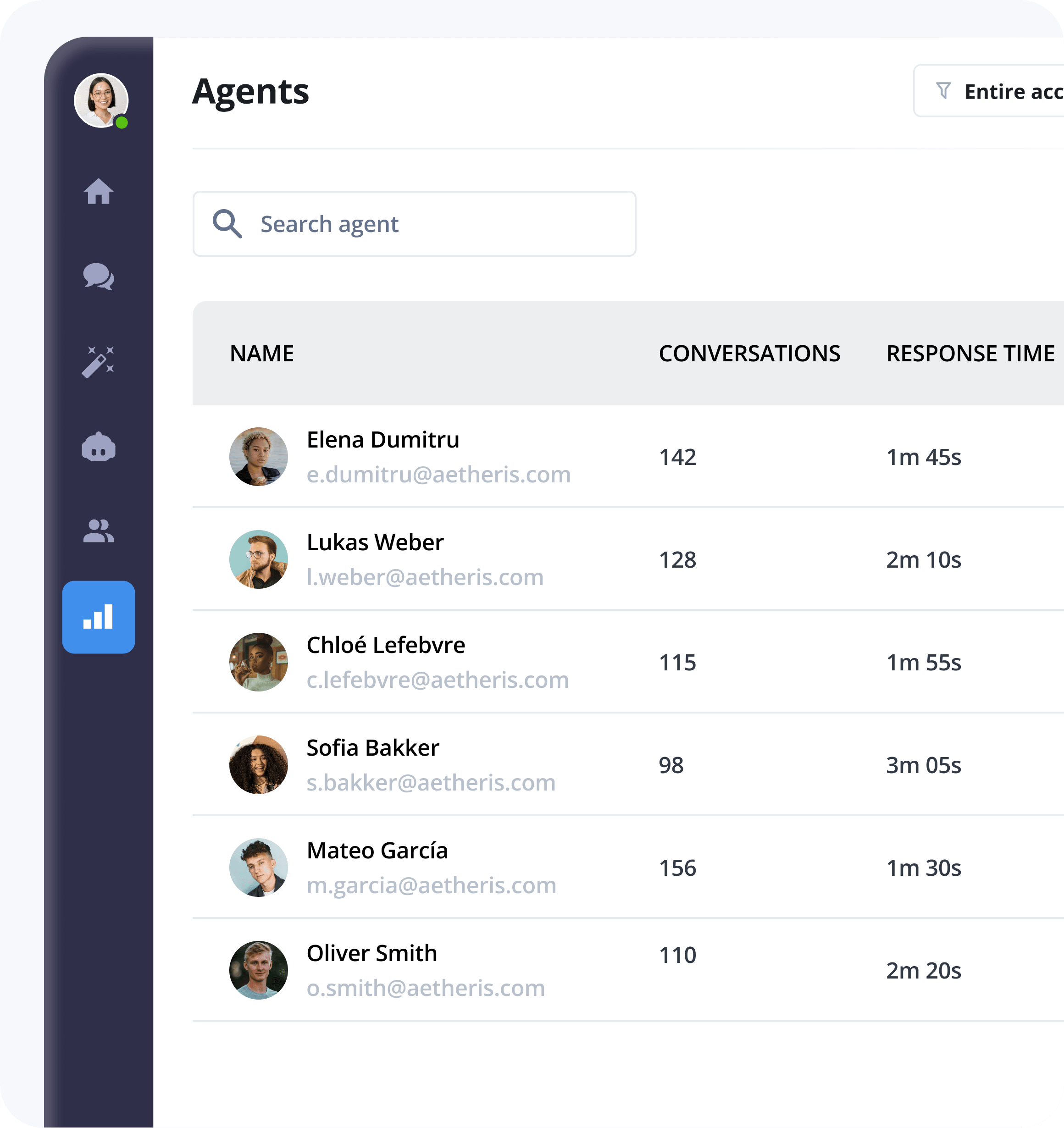
Team & Agent Performance
- Team Overview: High-level summary of your entire support operation.
- Volume per Agent: See exactly who is handling the heavy lifting.
- Median Response Time: Track speed accurately (median is smarter than average).
- Online Activity Logs: Monitor active hours and peak performance times.
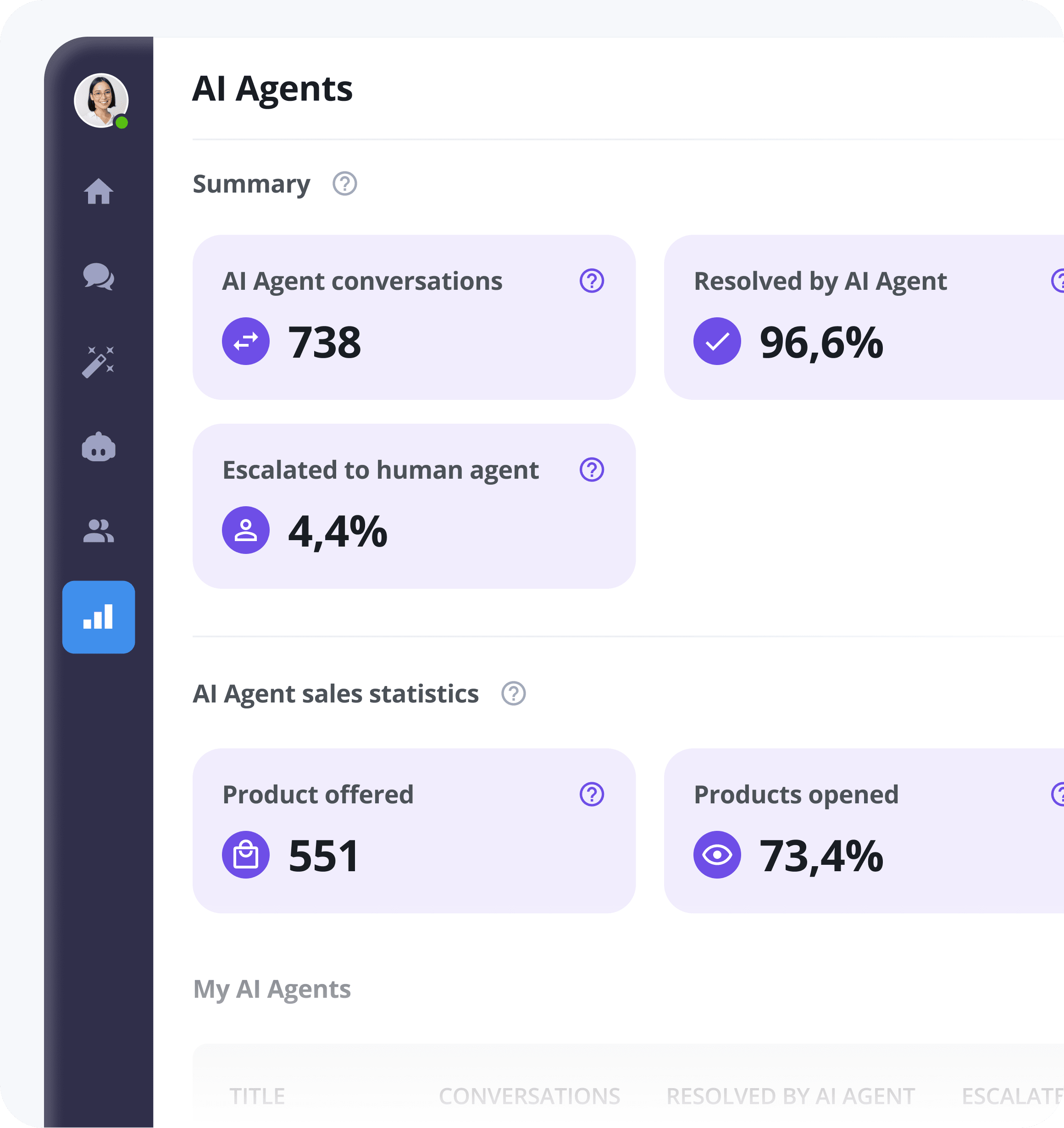
AI & Automation Insights
- Automation Volume: Total chats handled by AI agents and triggered workflows.
- Resolution Rate: The percentage of queries solved without human intervention.
- Product Engagement: Track clicks and conversions on AI-recommended products.
- AI Satisfaction: Monitor how customers rate their automated experiences.
Deep Customer Data
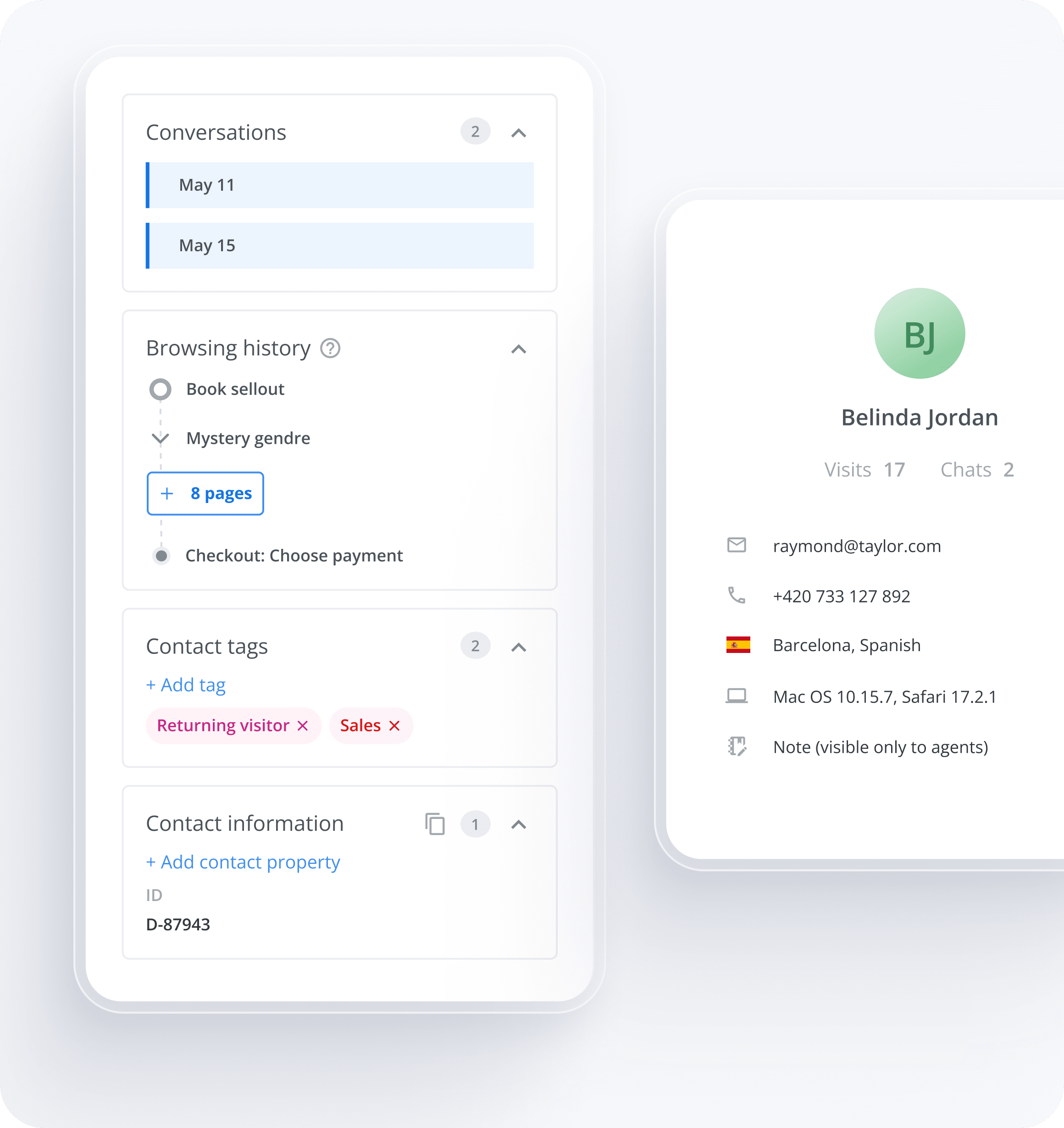
- Live Visitor Tracking: See who is online and which page they are browsing.
- Source Attribution: Know if they came from Google, Social, or Direct ads.
- Unified History & Tags: Full customer profiles with behavioral tags.
- Smart Segmentation: Export your data to CSV for CRM and email marketing.
Turn your conversations into measurable revenue
Smart Tags.
Better Insights.
- Tag every chat. Categorize inquiries by topic, product, or priority.
- Segment and filter. Instantly find specific trends and export data for your CRM.
- Boost efficiency. Give your team the structure they need to handle requests faster.
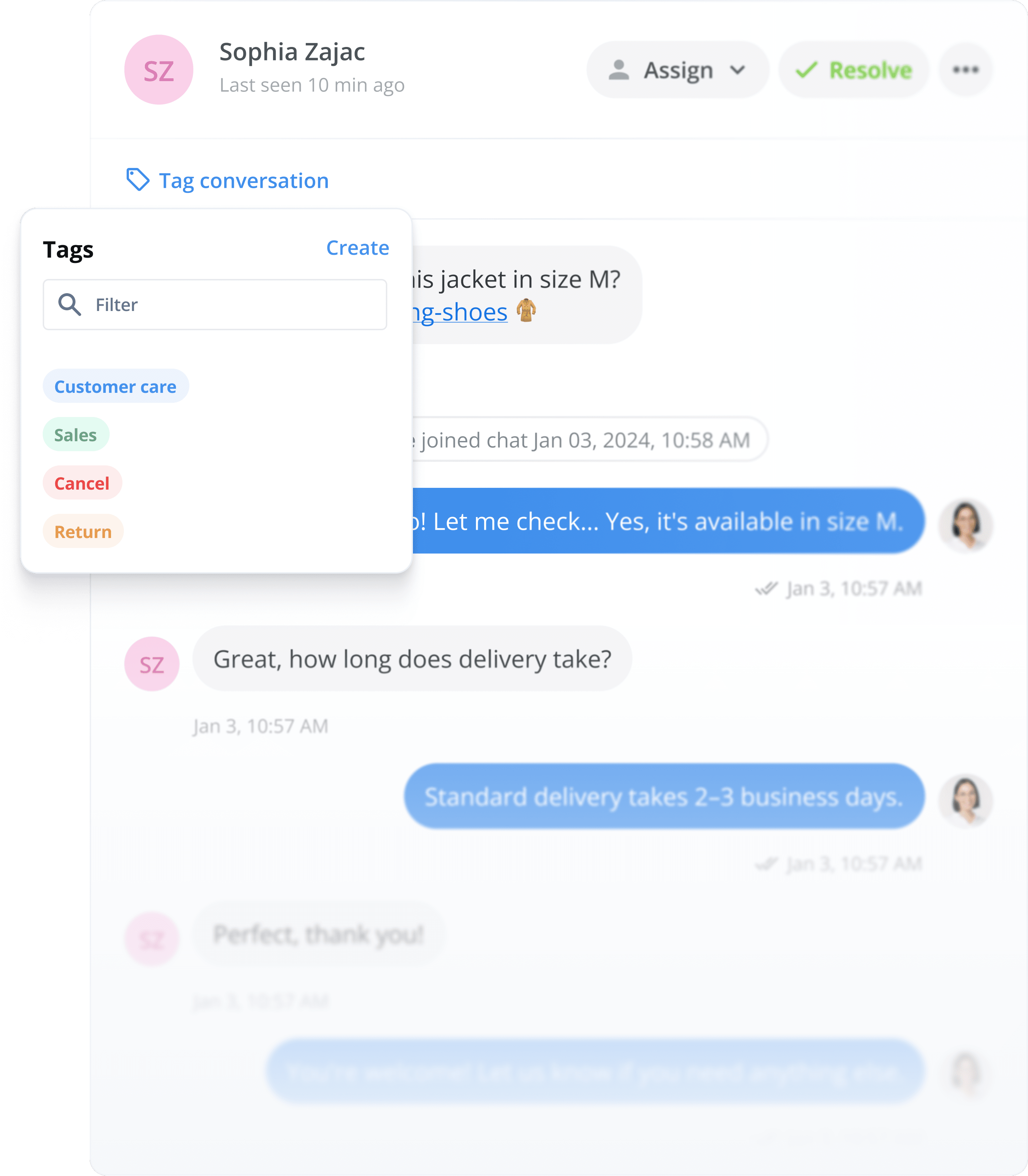
Tags help us quickly sort and classify customer questions, which speeds up our team's work and improves customer care. Plus, we get clear statistics that give us valuable insights.


Ready-to-Use GA4 Integration
Customer service directly impacts your revenue, and GA4 data gives you hard numbers to prove it. Track 17 types of events automatically, see how chat affects conversions and revenue, and measure support's direct impact on your bottom line.

They love us!


Works great on all major platforms


FAQs about Reporting & Statistics
Need more details? Check our Help Center.
What reporting and analytics does Smartsupp offer?
Smartsupp gives you a complete picture of your customer communication. You'll see conversation statistics (new and replied conversations over time), agent performance metrics (first response time, overall response time, chat duration, and resolved conversations per agent), customer satisfaction ratings, and tag usage breakdowns — all filterable by team, agent, and custom date ranges. If you use our AI shopping assistant Mira, you also get dedicated dashboards showing products recommended, products clicked, and visitor satisfaction scores.
How do I track my team's performance?
Head to the Statistics tab and you'll find per-agent breakdowns of the metrics that matter most: first response time, average response time, chat duration, and number of resolved conversations. Smartsupp uses the median (not the average) for time-based metrics, so a single unusually long conversation won't skew your numbers. You can also view customer satisfaction ratings per agent to see who's delighting your customers — and where there's room to improve.
Can I see how my chatbot and AI Shopping assistant are performing?
Absolutely. Every chatbot and auto message has its own summary showing how many times it was triggered and how many visitors engaged afterward. If you're using Mira AI, you get a dedicated analytics section that tracks products recommended vs. products visitors actually clicked, plus a satisfaction tab where visitors rate Mira's responses as positive, neutral, or negative — with text feedback you can use to fine-tune its answers. You can also see at a glance how many conversations were resolved by automation versus handed over to a human agent.
How does the Google Analytics 4 integration work?
Smartsupp sends 17 distinct events directly into your Google Analytics 4 account — covering chatbot-initiated conversations, auto-message interactions, organic visitor chats, agent-served conversations, and more. Setup takes just a few clicks: connect your GA4 Measurement ID in Settings → Integrations, define two custom dimensions, and you're done.
Once connected, you can compare the conversion rate of visitors who chat versus those who don't, track e-commerce revenue attributed to Smartsupp interactions, and build segments for chatbot conversations versus agent conversations.
Can I measure how Smartsupp impacts my sales and revenue?
Yes — and this is where it gets powerful for e-commerce. Through the Google Analytics integration, you can see exactly how Smartsupp conversations contribute to your e-commerce conversion rate and revenue. smartsupp Create segments to compare chatting visitors against your overall traffic, break down revenue by acquisition source, and see whether chatbot interactions or live agent conversations drive more sales.
What are Tags and how do they help with reporting?
Tags let you categorize conversations and contacts by topic — think "shipping question," "return request," or "product inquiry." You create tags with a custom name, color, and description, then apply them manually or even automatically via chatbot. In your Statistics dashboard, you'll see a breakdown of which tags appear most often across resolved conversations, filterable by team and time period. This tells you exactly what your customers ask about most, so you can improve your FAQ pages, train your team, or adjust your chatbot flows accordingly.
Can I export my data for use in other tools?
Yes, in several ways. You can export all contacts to CSV — perfect for uploading into your CRM or email marketing platform. Individual conversations can be exported to PDF (Pro plan), and your full conversation history can be exported via XML for any time period. For more advanced workflows, Pro plans support JSON webhooks that automatically send a copy of every conversation to your server in real time, including all visitor data, messages, response times, and ratings. The Ultimate plan includes full API access for programmatic data extraction and integration with BI tools.
Is Smartsupp GDPR compliant and where is my data stored?
Smartsupp is fully GDPR compliant, and also meets the requirements of the UK Data Protection Act and CCPA/CPRA. Your data is stored primarily within the EU, with any international transfers secured by EU-equivalent protections. Smartsupp acts as the Data Processor while you remain the Data Controller — backed by a downloadable Data Processing Agreement. Privacy features are built in by default: IP address storage is turned off when you create your account, credit card numbers are automatically detected and hidden in conversations, and the chat widget displays a data processing notification to visitors. You can configure data retention periods, add GDPR consent checkboxes to chatbot flows, and fulfill right-to-deletion requests easily.
Do I need technical skills to set up and use reporting?
Not at all. Your statistics dashboard is ready from the moment you start receiving conversations — there's nothing to configure. Metrics are displayed as clear visual charts you can filter by date range, team, or agent with a couple of clicks. For the Google Analytics integration, you'll need to paste your Measurement ID and set up two custom dimensions in GA4, which takes about five minutes with our step-by-step guide. No coding required for any standard reporting feature. If you want advanced setups like webhook exports or API integrations, those do involve some developer work, but the built-in dashboards cover what most businesses need.
Can I see what my visitors are doing on my website in real time?
Yes. Smartsupp shows you a live visitor list with each person's name (if available), location, browsing history, referral source, device, and browser. You also see extended e-commerce data — like which products visitors are browsing and what's in their cart — so your agents can offer proactive, relevant help. This real-time context appears right alongside the chat window, meaning your team never has to ask "what page are you on?"
How are response times calculated?
Smartsupp measures first response time (from the visitor's first message to the agent's first reply) and overall response time (across all messages in a conversation) using the median, not the average.
Why? Because medians aren't distorted by outliers. If one conversation takes 45 minutes because a visitor went to lunch mid-chat, it won't inflate your team's numbers. This gives you a more accurate and honest picture of how quickly your team actually responds.
How quickly will I start seeing data in my reports?
Immediately. As soon as your first conversation comes in, it appears in your statistics. There's no waiting period, no minimum data threshold, and no setup delay. Conversation metrics, agent performance, and satisfaction ratings all populate in real time. For Google Analytics data, events are sent the moment a chat interaction occurs, and they'll show up in your GA4 reports according to Google's standard processing time (typically within a few hours).
Do you have 2 minutes?